
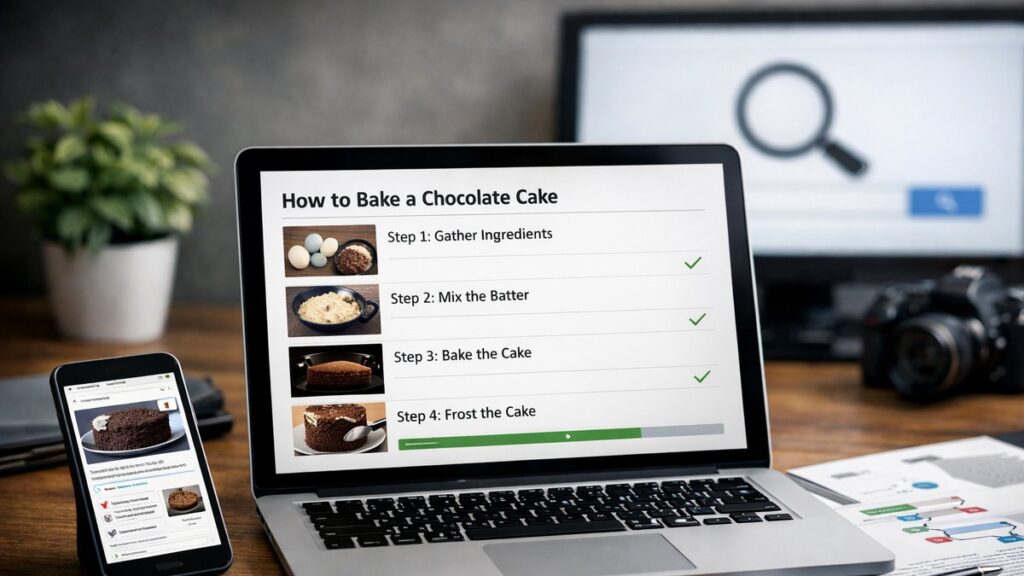
HowTo schema for AEO: what it does and why it matters
When users ask voice assistants or search engines how to do something, the results that surface as rich snippets — with numbered steps, images, and tools listed — are powered by HowTo schema for AEO. This structured markup communicates directly with answer engines, transforming standard instructional content into machine-readable, display-ready formats. Understanding how to implement it correctly is one of the most impactful moves you can make for answer engine optimization.
Cómo funciona HowTo schema en la búsqueda
HowTo schema is a vocabulary type from Schema.org that tells search engines your page contains step-by-step instructions. When parsed correctly, it enables rich results that display directly in the search engine results page (SERP) — no click required.
What search engines extract
- The overall process name and description
- Individual step names and detailed directions
- Images associated with each step
- Required tools and materials
- Estimated time and cost (when provided)
Where rich results appear
- Google Search visual step panels
- Featured snippets with numbered steps
- Voice assistant spoken responses
- AI-generated answer summaries
- Google Discover and image carousels
Estructura esencial de HowTo schema markup
A valid HowTo schema block requires specific nested properties. Missing or malformed properties will prevent rich result eligibility. Consult the full schema markup guide for AEO for a broader look at all structured data types that support answer engine visibility.
| Property | Type | Required? | Purpose |
|---|---|---|---|
| @type | Text | ✅ Yes | Must be set to “HowTo” |
| name | Text | ✅ Yes | Title of the how-to process |
| description | Text | Recommended | Brief summary of what the process achieves |
| step | HowToStep | ✅ Yes | Array of individual steps |
| step.name | Text | ✅ Yes | Short label for each step |
| step.text | Text | ✅ Yes | Full instruction for that step |
| step.image | ImageObject | Recommended | Visual for each step |
| tool | HowToTool | Optional | List of required tools |
| supply | HowToSupply | Optional | List of required materials |
| totalTime | Duration (ISO 8601) | Optional | Estimated completion time |
Step structure: cómo redactar pasos que funcionan en AEO
The quality of individual step markup is where most implementations fail. Each HowToStep must be self-contained — clear enough to be read aloud by a voice assistant without additional context.
Best practices for writing HowTo steps
- Start each step name with an action verb (e.g., “Install”, “Configure”, “Verify”)
- Keep step text between 40 and 120 words — concise but complete
- Avoid referencing other steps by number inside the text itself
- Use plain language; avoid jargon unless the audience is technical
- Include the outcome of the step, not just the action
- Wrap each step in its own HowToStep object — never group two actions into one step
Common mistakes that break rich result eligibility
- ❌ Using a single giant step that covers multiple actions
- ❌ Omitting the step.text property and relying only on step.name
- ❌ Marking up content that is not genuinely instructional
- ❌ Embedding schema in JavaScript that search engines cannot reliably render
- ❌ Mismatch between on-page visible content and schema data
Image requirements for HowTo schema
Images are technically optional in HowTo schema, but they dramatically increase the likelihood of receiving the visual rich result format in Google Search. Each step image should meet specific criteria to be eligible.
| Image requirement | Specification |
|---|---|
| Minimum width | 1200 px (recommended) |
| Aspect ratio | 16:9 preferred for step panels |
| Format | JPEG, PNG, or WebP |
| Relevance | Must visually represent that specific step |
| Alt text alignment | Alt text should match the step action described |
| Uniqueness | Avoid reusing the same image across multiple steps |
Tool and supply markup: el detalle que marca la diferencia
Adding tool and supply properties to your HowTo schema enriches the structured data and gives search engines more signal about the nature of the process. This is especially relevant for DIY, technical, cooking, or setup guides.
HowToTool examples
- Screwdriver
- Text editor
- Command-line interface
- Web browser with developer tools
- Measuring tape
HowToSupply examples
- Specific software version
- API credentials or access token
- Raw ingredients (for recipes)
- Paint or adhesive materials
- Dataset or CSV file
How Draftto builds HowTo schema for AEO automatically
Implementing HowTo schema manually is error-prone and time-consuming. Draftto addresses this by generating process-oriented articles with HowTo schema built directly into the content structure. When you create an instructional article with Draftto, the platform identifies the step-based format and outputs the corresponding JSON-LD markup — aligned with the visible on-page content, which is a strict requirement for rich result eligibility.
- ✅ Automatic step segmentation based on article structure
- ✅ JSON-LD output embedded in the page without manual coding
- ✅ Tool and supply fields populated from content context
- ✅ Image object placeholders with correct dimensions guidance
- ✅ Alignment between visible text and schema data enforced by default
- ✅ AEO-optimized step writing: concise, action-led, voice-friendly
This approach means that writers focused on producing clear instructional content automatically benefit from structured data that meets search engine and answer engine standards — without needing to touch a line of code. HowTo schema for AEO stops being a technical afterthought and becomes a built-in feature of every process article published through Draftto.